Introducing diff
Verify the edit, visually and numerically.
agentcad diff compares two versions of a part so an agent can check its own work. It returns side-by-side renders, a colored overlay of what moved, and a structured report of volume, surface area, face and edge counts, and center of mass.
Why this matters
Agents already create CAD geometry that looks plausible. This shifts the bottleneck from design to verification.
agentcad’s diff tools help agents verify their work by allowing them to compare the impact of edits to an existing model.
That is the difference between “here is a part, I hope it worked” and “volume dropped 636,858 mm³, the outer envelope is unchanged, and the center of mass is back on the spin axis.”
See it in action
The task: take two blades off an impeller
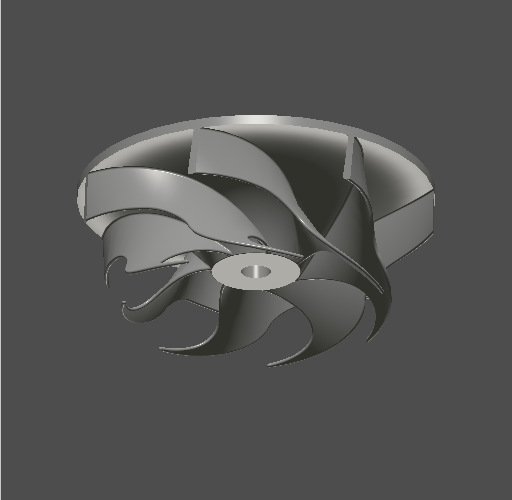
This is sample 203 from CADGenBench, a benchmark of CAD editing tasks. The agent gets a STEP file of a seven-blade impeller and one line of instruction.
PROMPT
Reduce the number of impeller blades from 7 to 5.
INPUT · IMPELLER_V0.STEP
What a diff returns
$ agentcad diff impeller_v0 impeller_5blade_final --visual
Side-by-side renders
Both versions rendered from the same four camera angles. The comparison a human asks for first.
The overlay
The two silhouettes stacked, with an overlap score per view. Grey is shared, blue is only in the old part, orange is only in the new one.
The numbers
Volume, surface area, face and edge counts, bounding box, and center of mass, before and after, as JSON.
Visual comparison
agentcad has rendered a four-view preview of every successful build since the first release.
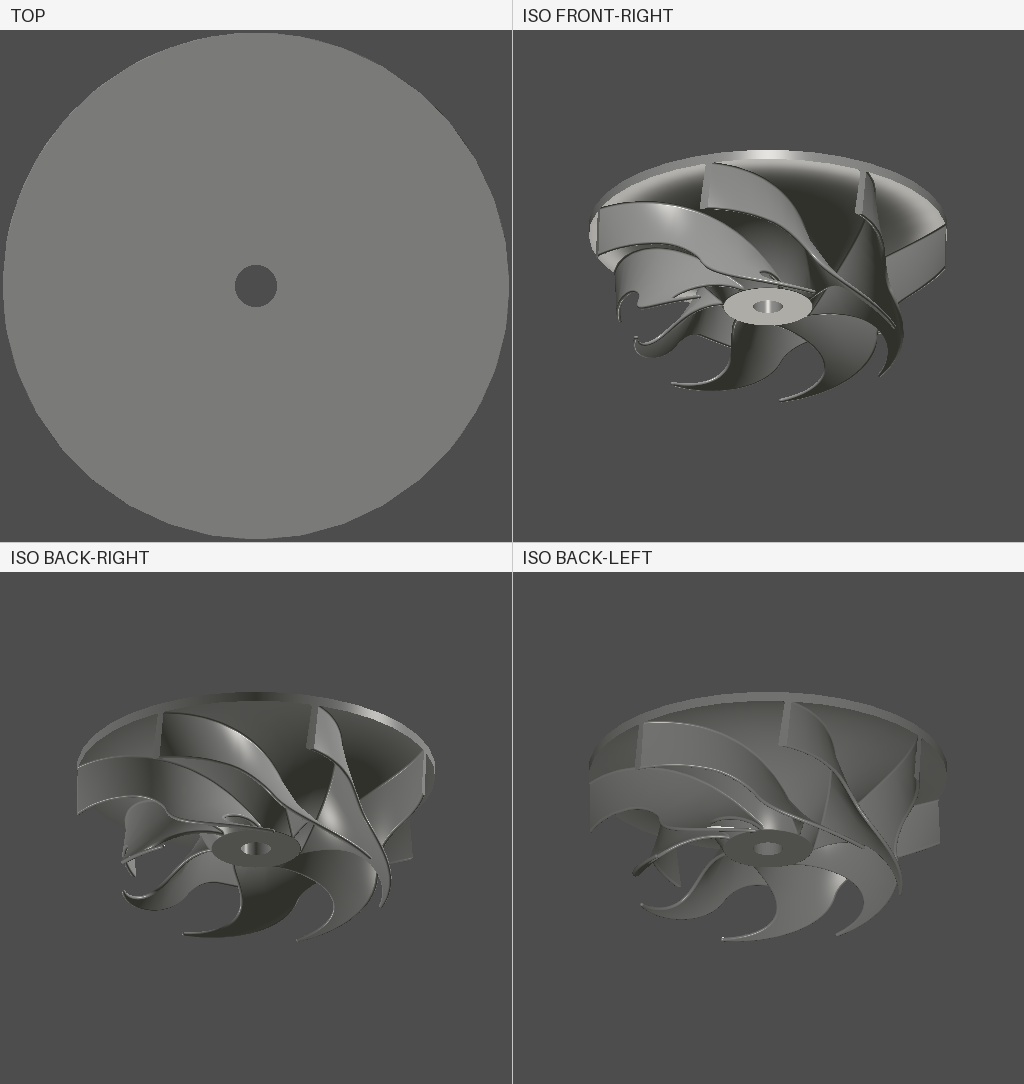
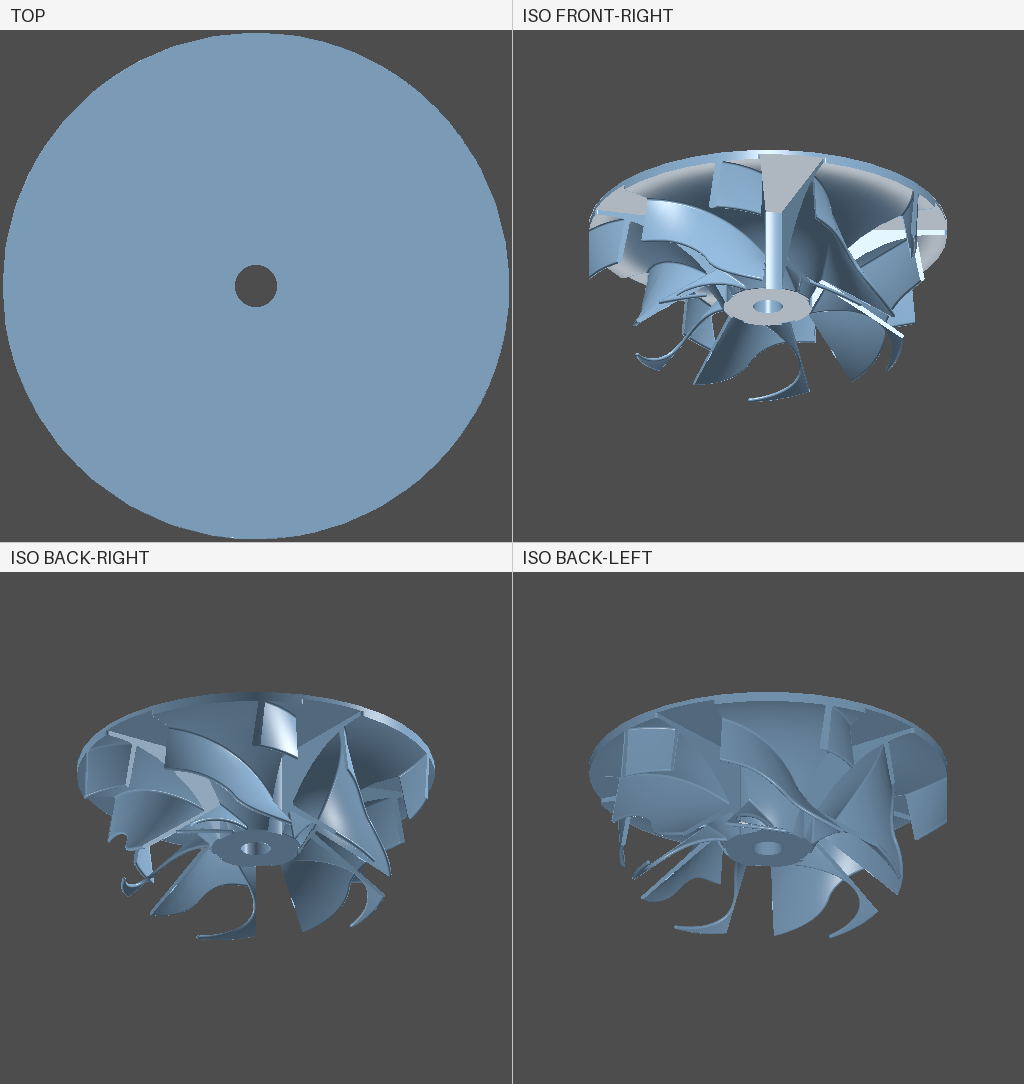
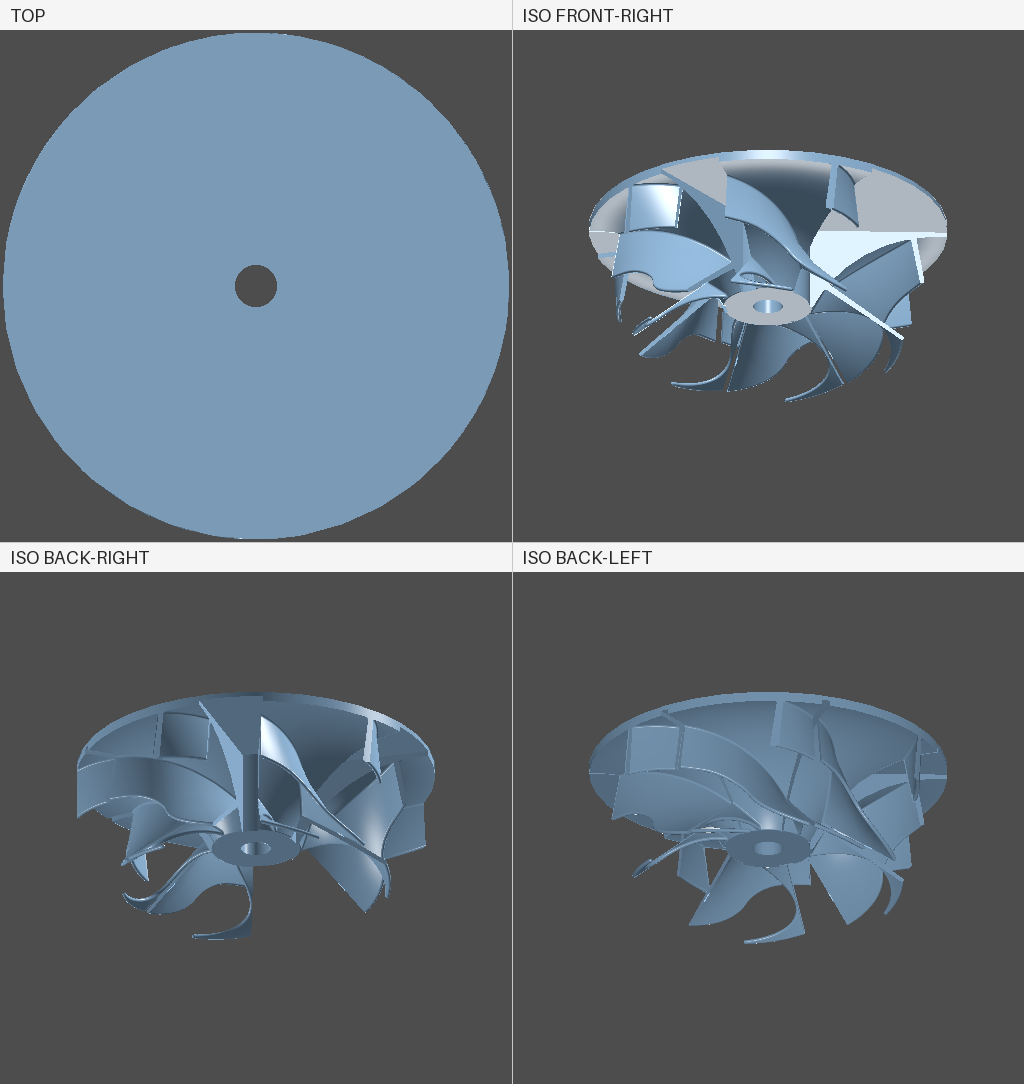
Renders only go so far. From directly above, both parts are a plain disk with a bolt hole. The shroud covers every blade, so the top view says nothing about blade count.
The overlay
The overlay stacks the two silhouettes. Grey is space both parts occupy, blue is space only the original filled, orange is space only the new part fills. Every panel carries its own overlap score.
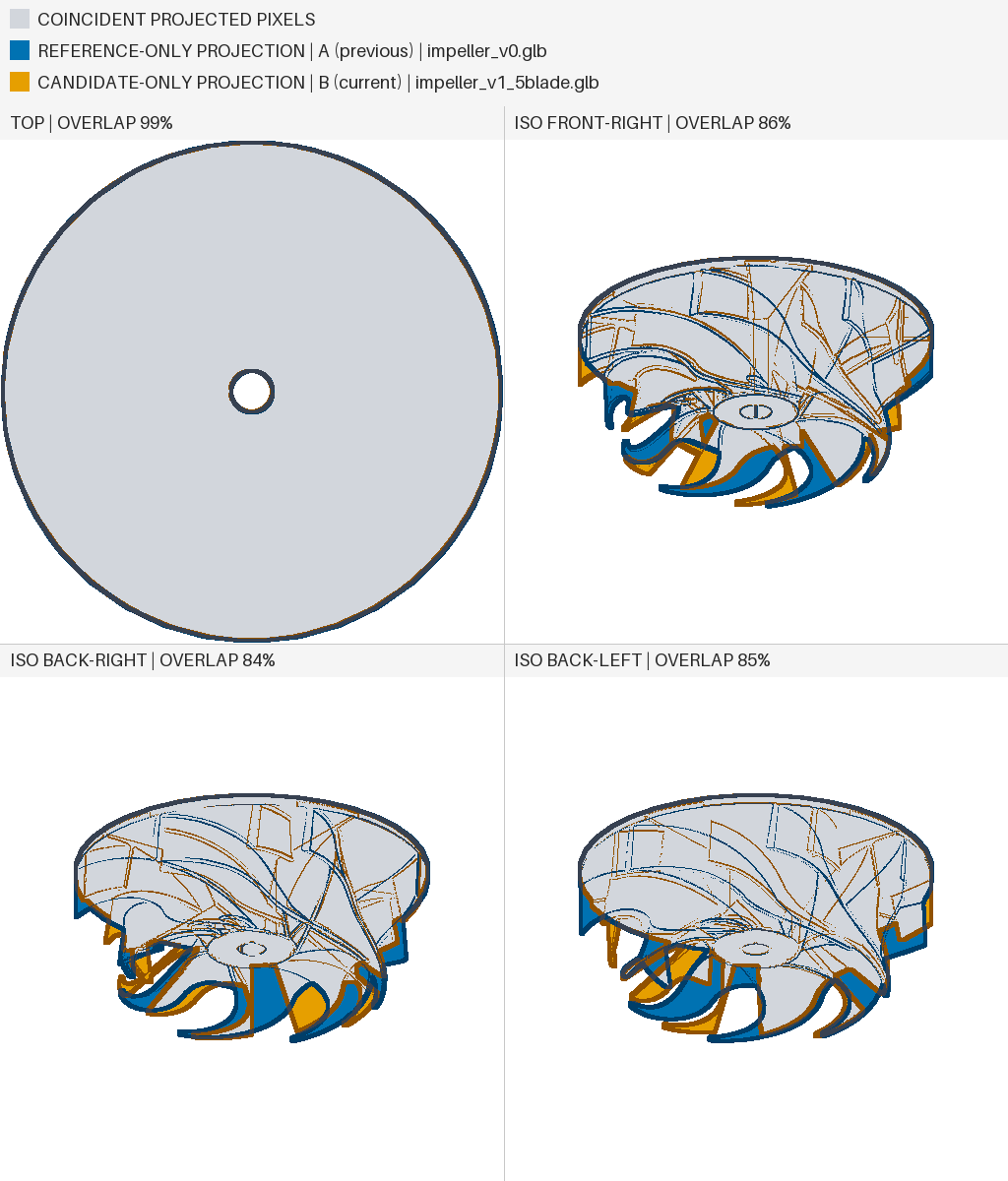
The same breakdown comes back as numbers, per view:
| view | shared | only in v1 | only in v28 |
|---|---|---|---|
| top | 99.49% | 0.48% | 0.03% |
| iso_front_right | 86.23% | 8.89% | 4.88% |
| iso_back_right | 84.49% | 10.35% | 5.16% |
| iso_back_left | 84.75% | 10.50% | 4.75% |
“Only in v1” is the material that went away: about 10% of each isometric view, and 0.48% from the top. That split is the signature of removing two blades from under a shroud.
The overall score comes back with its limits attached:
"projection_comparison": {
  "method": "four_view_image_mask",
  "scope": "2d_projected_pixels",
  "score": {
    "metric": "projection_intersection_over_union",
    "value": 0.924,
    "classification": "high"
  },
  "limitations": [
    "Does not establish shared 3D geometry.",
    "Does not identify physical material additions or removals."
  ]
}
That limitations field matters. This compares projected pixels, not solids. An agent should not read 0.92 as “92% of the material matches.”
Quantitative comparison
The structured diff is the part an agent acts on without interpretation. Removing two of seven blades should take material away and leave the outer envelope alone. That is what the numbers say: volume drops a fifth, and bounding box and dimensions report null, meaning unchanged.
{
  "command": "diff",
  "status": "success",
  "v1": { "version": 1,  "label": "impeller_v0" },
  "v2": { "version": 28, "label": "impeller_5blade_final" },

  "changes": {
    "metrics": {
      "volume":         { "from": 3142322.551, "to": 2505464.6242 },
      "surface_area":   { "from":  418944.6449, "to": 415460.7777 },
      "face_count":     { "from": 156, "to": 254 },
      "edge_count":     { "from": 413, "to": 721 },
      "center_of_mass": {
        "from": { "x": -0.0017, "y": -0.0077, "z": 46.7082 },
        "to":   { "x":  0.0,    "y": -0.0008, "z": 47.1713 }
      },
      "dimensions": null,
      "bounding_box": null
    }
  }
}Face and edge counts went up while blade count went down, because the edit cut and refit the shroud around the new spacing. A number moving the wrong way is a signal to go look, not a failure.
Read together, these let the agent verify the edit rather than inspect it: material came off, the envelope held, the mass stayed centered. Nobody had to look at a picture to confirm it.
The version that looked right and wasn’t
Partway through the run the agent produced a five-blade impeller that renders cleanly. Next to the final version, the two are hard to tell apart.
Scored against the original, the uneven version came back at 0.9378 and the correct one at 0.9240. An agent optimizing for visual similarity would have shipped v18.
Center of mass told a different story:
# attempt 1 — v18 "impeller_5blade"
center_of_mass:  x  9.3635   y -2.4213   z 47.1654
projection IoU:  0.9378

# attempt 2 — v28 "impeller_5blade_final"
center_of_mass:  x  0.0000   y -0.0008   z 47.1713
projection IoU:  0.9240
This is a 360 mm rotor, so its center of mass belongs on the spin axis. In v18 it sits 9.4 mm off center, an imbalance that would shake whatever the part is bolted into, and it is invisible in every render of it. In v28 it is back on axis at 0.0.
One scalar caught a physical defect that four camera angles and a 93% similarity score both passed. Verification needs more than one kind of evidence, which is why diff returns all three.
Get release updates
Optional. New releases and agent-facing features. We’ll send a confirmation link before adding you.